Claude Code
AnthropicYour Claude plan through Claude Code, or an Anthropic API key.
SubscriptionAPI key
Aria AI is the AI built into Aria. It writes your aria.yaml, sets things up, reads logs and fixes what breaks. Use the subscription you already pay for, or an API key.
Looking for Claude Code on this Mac…
Is this the one?
Yes, connect itClaude Code is connectedThrough your subscription · Claude Code
What it works with
Your Claude plan through Claude Code, or an Anthropic API key.
Your ChatGPT plan through Codex, or an OpenAI API key.
Your Google account through Gemini CLI, or a Gemini API key.
Your Google account, through Gemini CLI.
Your Cursor plan, through Cursor Agent.
Every major model, with one OpenRouter API key.
On the Mac
Open the app, choose your tool and confirm. Aria finds it on your Mac, so there is nothing to paste. The turns run on your own Mac.
AI & MCP → Aria’s AI → Connect
01
Choose the whole workspace, or only some projects.
02
Choose Claude Code, Codex, Gemini, Antigravity or Cursor.
03
Choose Use your subscription. Aria finds the tool on your Mac, shows where it is and who it is signed in as, and asks “Is this the one?”. Choose Yes, connect it.
04
Pick the one model Aria AI works on. Aria marks its pick, and Test runs one short request.
Install it and sign in once, then choose Check again in Aria.
curl -fsSL https://claude.ai/install.sh | bashclaudenpm install -g @openai/codexcodex loginnpm install -g @google/gemini-cligeminicurl https://cursor.com/install -fsS | bashcursor-agent loginThe Antigravity tile uses your Google account through Gemini CLI, so sign in to Gemini CLI.
Use an API key
Checking the key with Anthropic…Encrypted in Aria’s vault. Never in logs, chats or the AI’s context.
In the browser
On any computer, Aria AI runs on an API key from your provider. You pay them directly.
Once it is connected
Aria AI works beside your project, in the Mac app and the web dashboard.
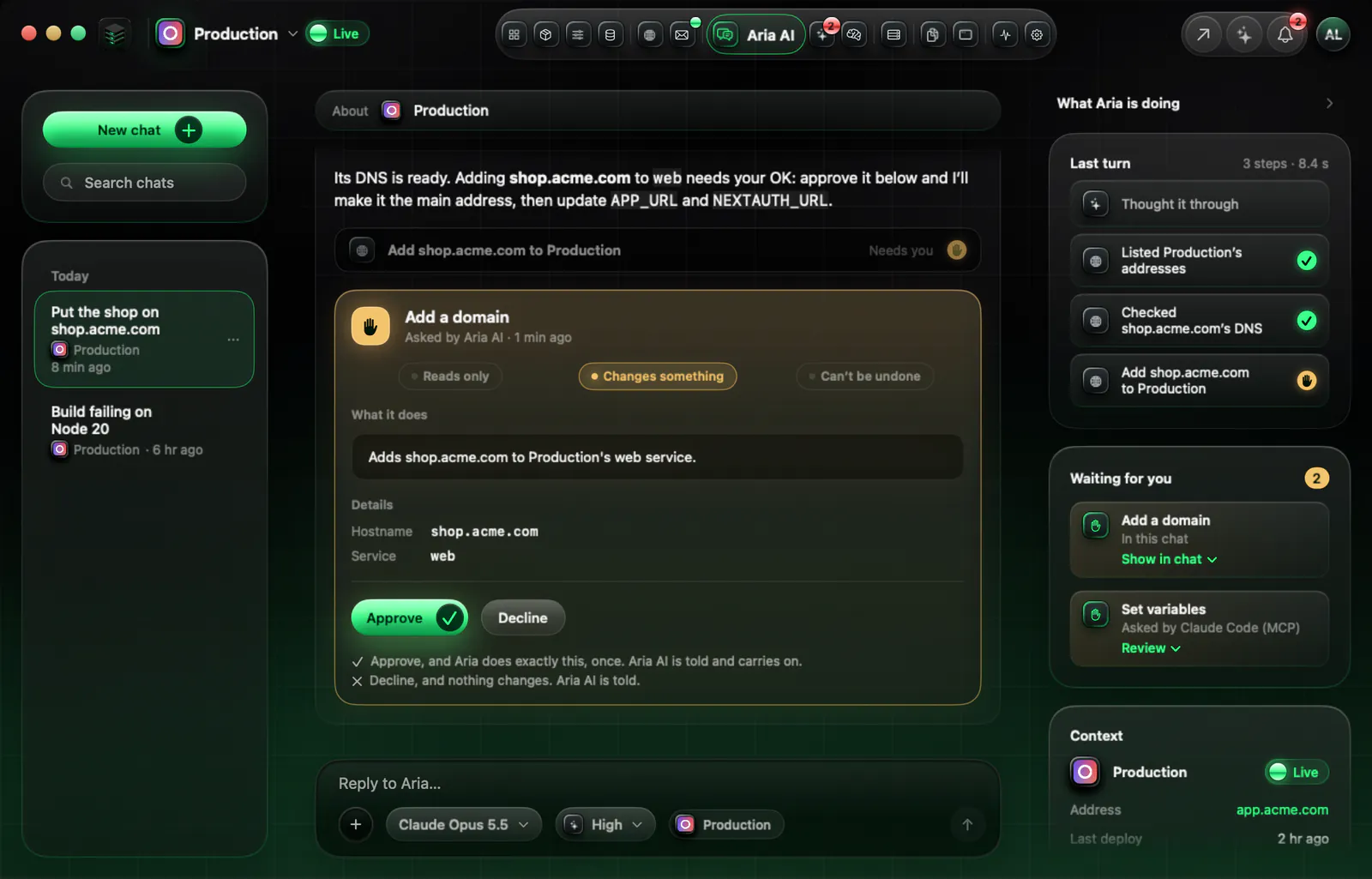
The same rules for every AI
Questions
No. In the Mac app, Aria AI runs through the tool on your Mac, with that tool’s own sign-in. Aria never sees it.
Your Claude plan through Claude Code, your ChatGPT plan through Codex, your Google account through Gemini CLI, and your Cursor plan through Cursor Agent. The Antigravity tile uses your Google account through Gemini CLI.
Yes. In the web dashboard, connect an API key from Anthropic, OpenAI, Gemini or OpenRouter. It works on any computer.
Aria never resells AI. You pay your provider directly, on the plan or key you already have, and you can set a monthly token limit in Aria.
Every provider, model and limit is in the full docs.